Imaging centers
Coordinate front desk, technologists, and reporting on one operational record.
Radiology Information System
The operational core of every study.
Coordinate patient intake, scheduling, procedures, examination preparation, imaging workflow, modality worklist, and operational follow-through inside one connected Radiyx environment.
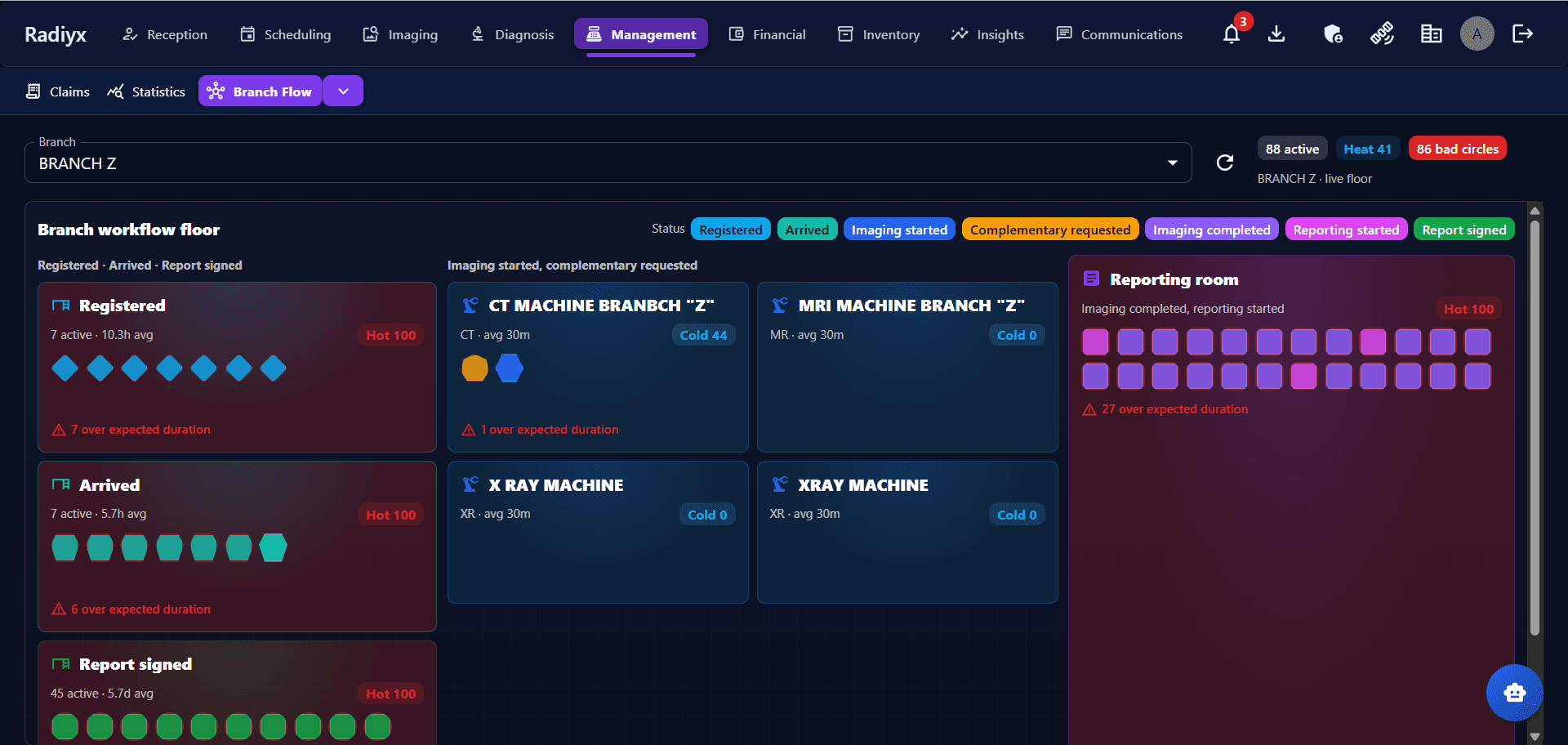
Real Radiyx RIS — operational workflow visibility
Patient & encounter
Intake that starts the record
Scheduling
Connected to the study
Imaging workflow
Status through acquisition
Modality Worklist
DICOM MWL + HL7 orders
Platform continuity
Reporting · Financial · Insights
Connected workflow
One study. One context. One connected workflow—from encounter through imaging, reporting, financial close, and operational insight.
01
Register the patient and open the visit that carries clinical and operational context.
02
Attach examinations to the encounter with machine, pricing, and workflow identity.
03
Plan appointments against branch, modality, and machine resources.
04
Keep preparation answers and instructions with the procedure.
05
Start, track, and complete imaging from the operational worklist.
06
Make scheduled patient and procedure details available to connected modalities.
07
Move from imaging completed into the next operational stage.
08
Continue the same patient and study context into Radiyx reporting.
09
Connect procedure events to invoices, payments, and customer claims.
10
Read volume, status, and workflow timing from the same record.
Patient & encounter
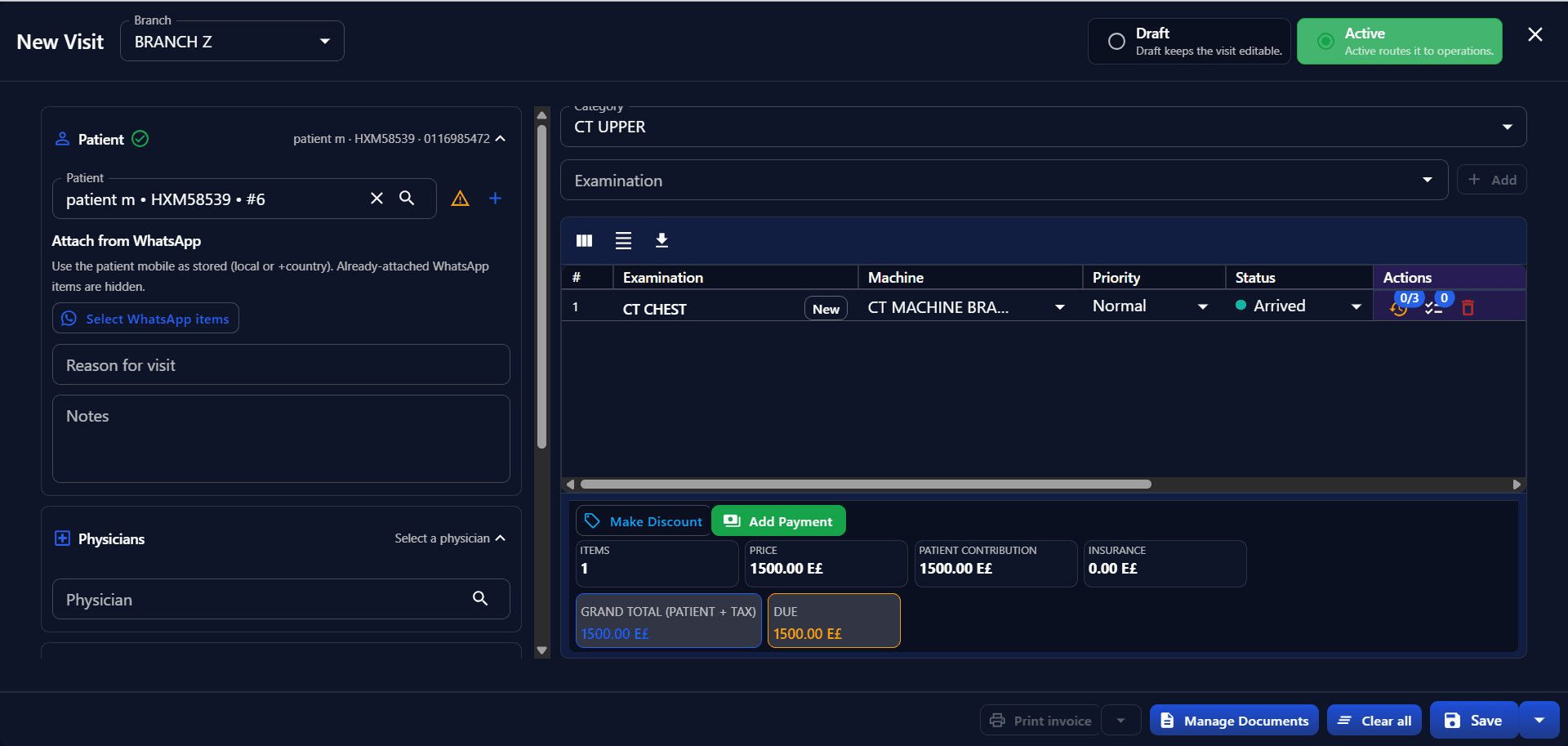
Radiyx RIS begins with patient identity and the encounter that carries procedures, physicians, clients, and operational state into the rest of the workflow.
Scheduling
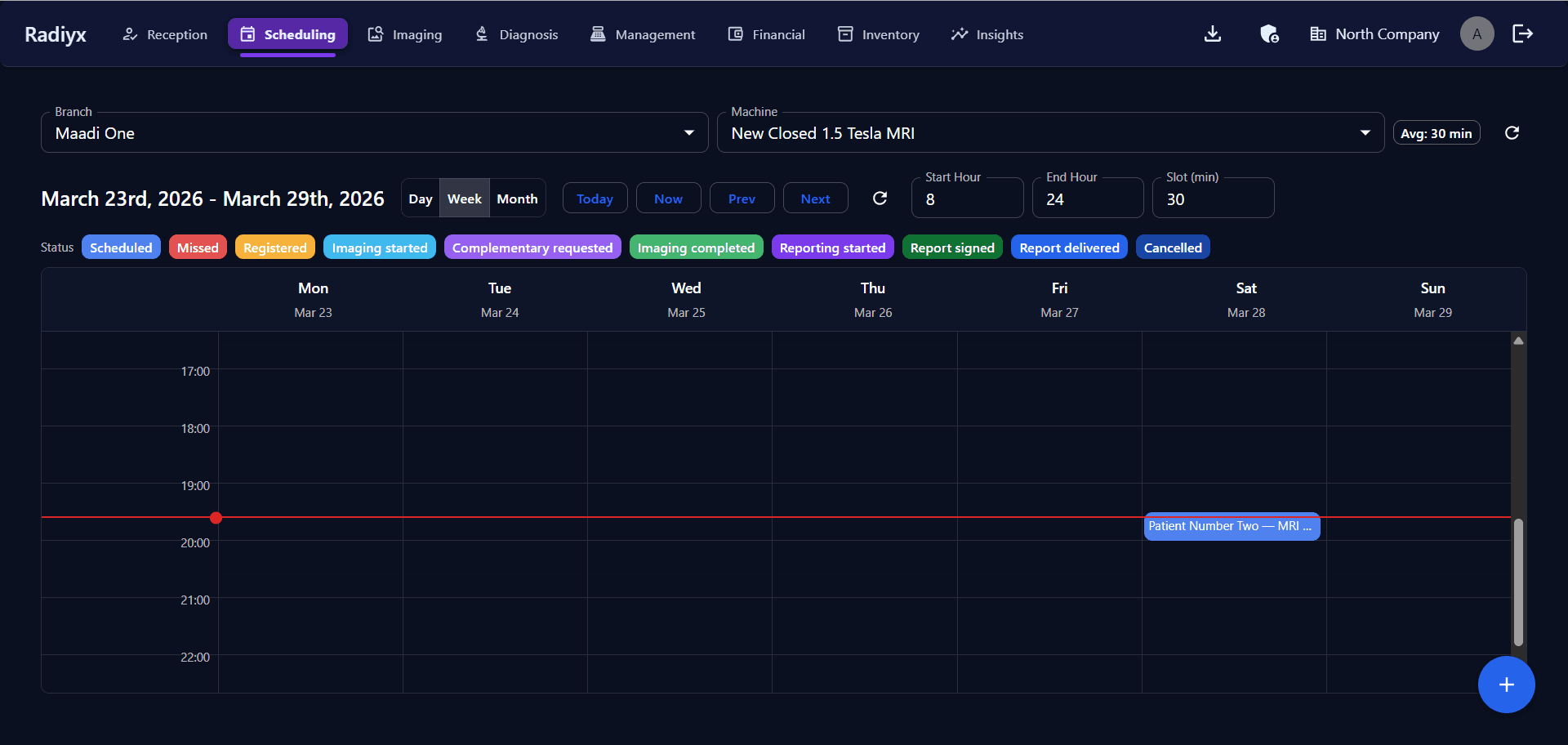
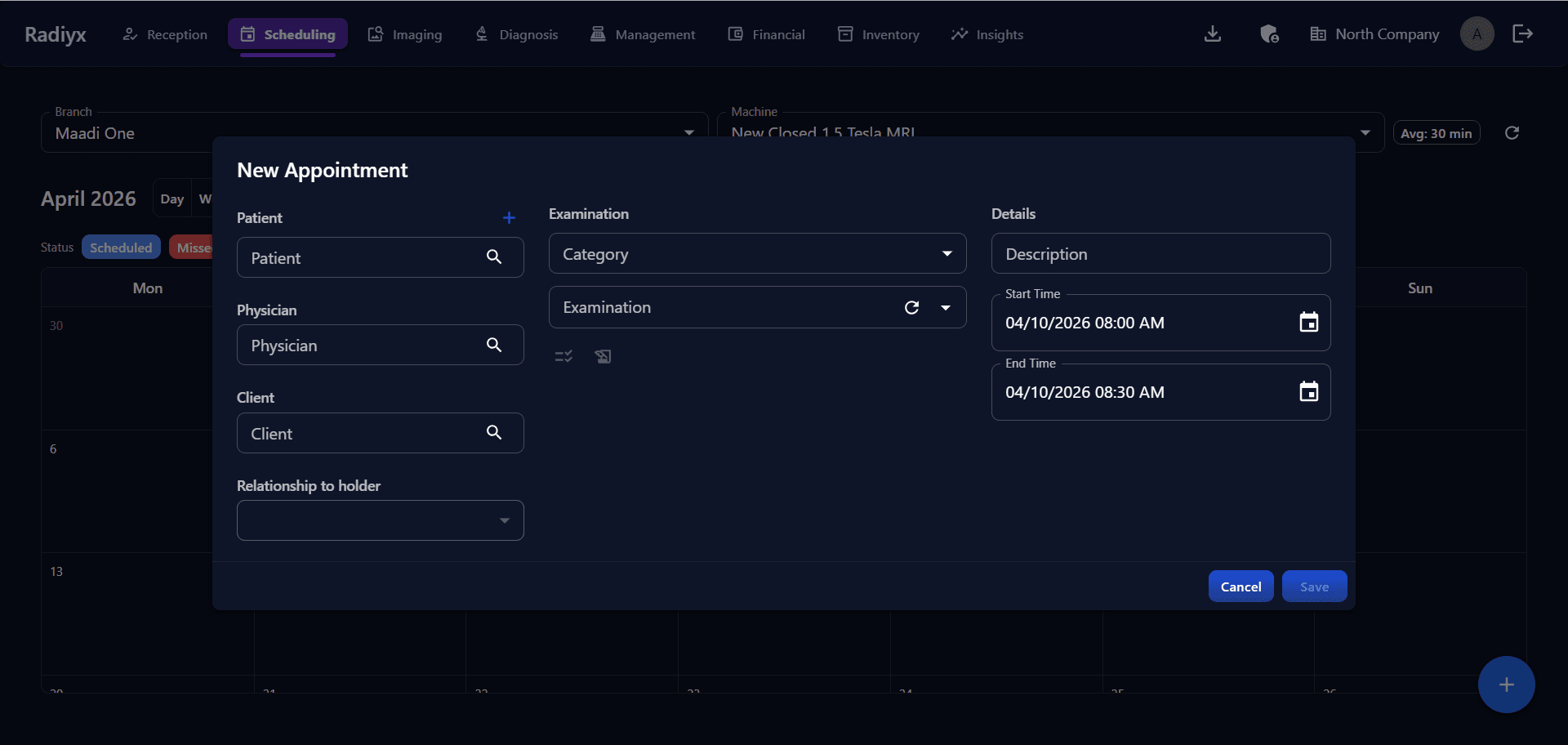
The appointment is not an isolated calendar event. It becomes part of the same operational record used downstream for encounter, imaging, and status tracking.
Imaging operations
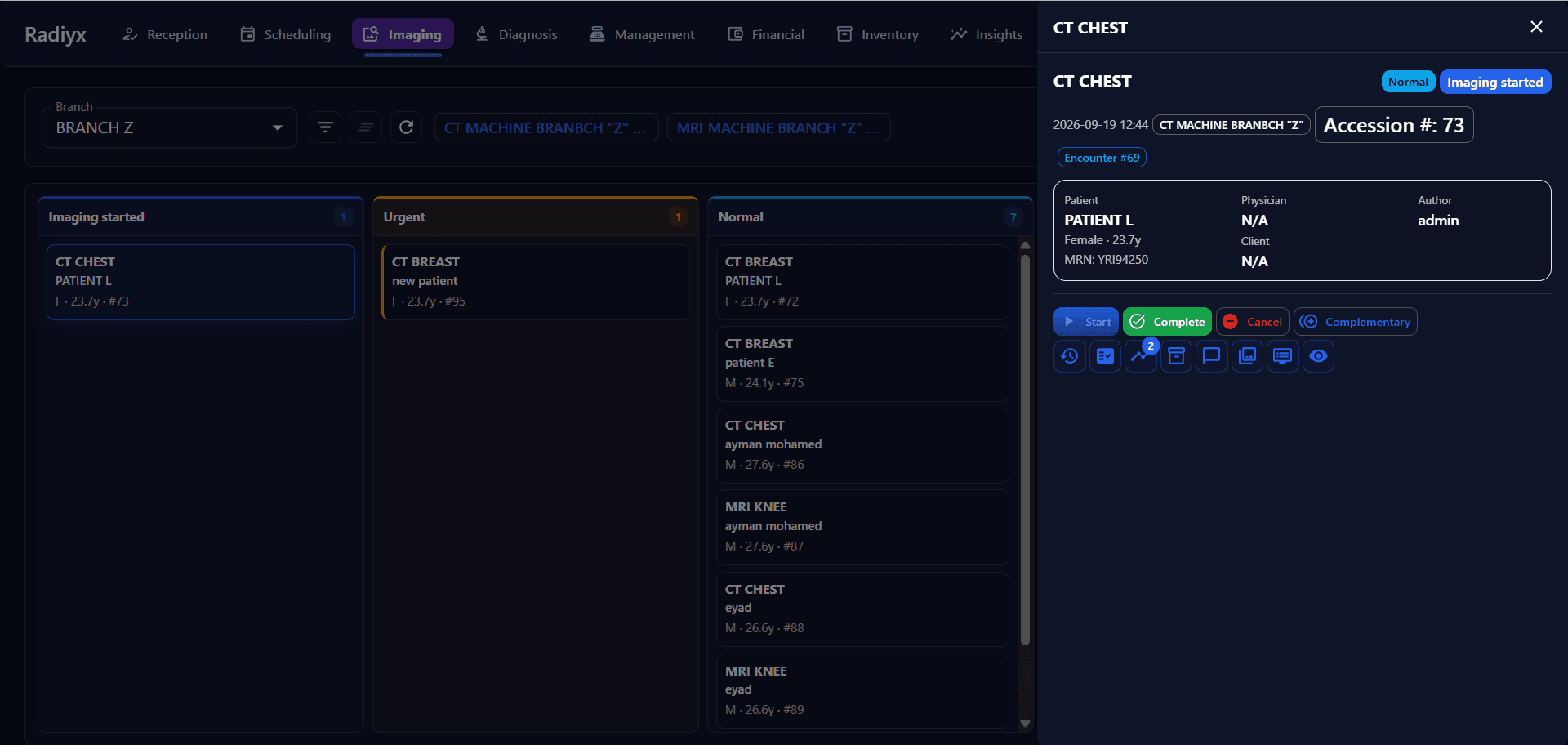
RIS coordinates the operational state of imaging—so technologists work from patient, encounter, accession, and preparation context, not a disconnected queue.
Modality Worklist
Scheduled patient and procedure information can be made available to connected modalities through the supported worklist workflow—reducing manual demographic re-entry between RIS and the scanner.
Technical note: DICOM Modality Worklist (MWL) and HL7 ORM order messaging are distinct capabilities. Radiyx supports both where configured—MWL in the imaging infrastructure, and HL7 ORM messaging from the procedure workflow.
Examination preparation
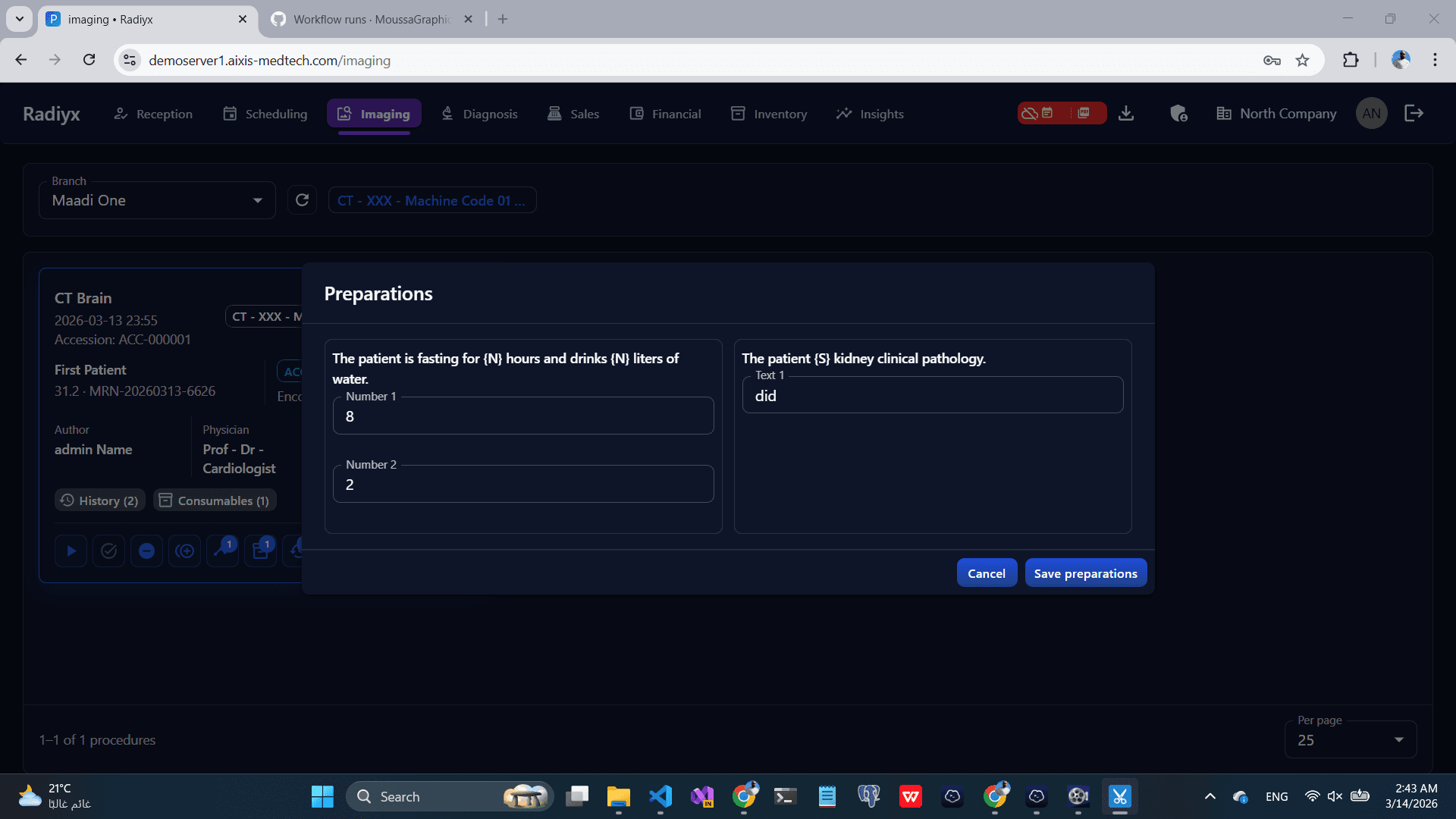
Preparation questions and answers stay attached to the procedure so imaging teams see the same context that reception captured.
Operational control
Operations teams can follow queues, modality activity, and workflow progression from scheduling through reporting—without leaving Radiyx.
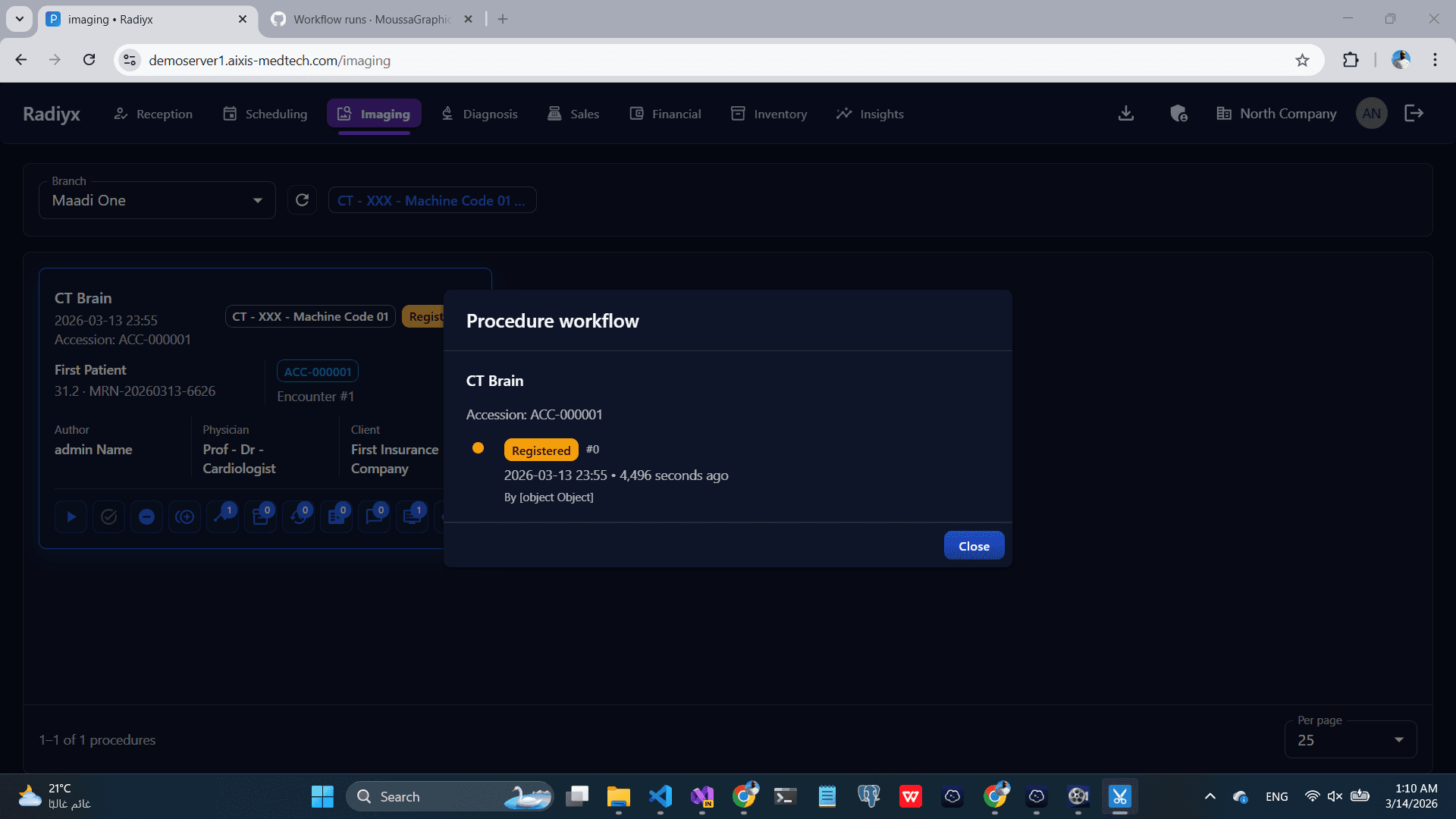
Workflow Detailed View surfaces procedure timing across stages such as registered to imaging start, imaging duration, and imaging complete to reporting—so delays are visible on the operational record.
Reporting continuity
RIS coordinates the study. Radiyx View provides browser imaging. Radiyx Vision provides native workstation depth. Radiyx Reporting continues across the Radiyx environment.
Financial connection
RIS creates procedure-linked operational events that continue into Radiyx Financial— invoices, payments, private and insurance customers, and customer claims on the same clinical and commercial identity.
Same record
Encounter and procedure context created in RIS continues into Financial and Insights, connecting billing and operational intelligence to the same workflow record.
Operational visibility
Leaders can review procedure volume, modality and branch activity, customer and physician patterns, workflow timing, claims follow-through, and utilization from the same events RIS already records.
Explore Radiyx InsightsOrganization
Imaging review
After acquisition, open studies in Radiyx View for browser imaging or continue in Radiyx Vision for native workstation depth—while reporting stays connected.
Beyond the organization
When expertise needs to extend beyond the organization, AIXIS Network continues the interpretation workflow—separate from the internal RIS operating path.
Explore AIXIS Network →Interoperability
Radiyx RIS participates in the same imaging interoperability patterns used across the Radiyx Platform—kept precise to what is implemented.
DICOM
Connected imaging infrastructure
DICOM Modality Worklist
Scheduled patient and procedure context for connected modalities
HL7
Order messaging for procedure workflow
DICOMweb
Supported in Radiyx imaging pathways
Security & access
Built for imaging operations
Coordinate front desk, technologists, and reporting on one operational record.
Keep encounters, procedures, and imaging status connected through the day.
Run branch, modality, and resource workflow from one Radiyx environment.
See where every study sits without switching systems.
See how Radiyx RIS connects patient workflow, imaging operations, reporting, financial processes, and operational visibility inside the Radiyx Platform.