Browser access
Open imaging directly from the Radiyx workflow.
Browser-based imaging
Medical imaging and reporting,
directly in the browser.
Open studies, review imaging, and work with connected reporting inside the Radiyx workflow—without installing a desktop workstation.
When a case needs advanced workstation tools, continue in Radiyx Vision.
Compare View & Vision →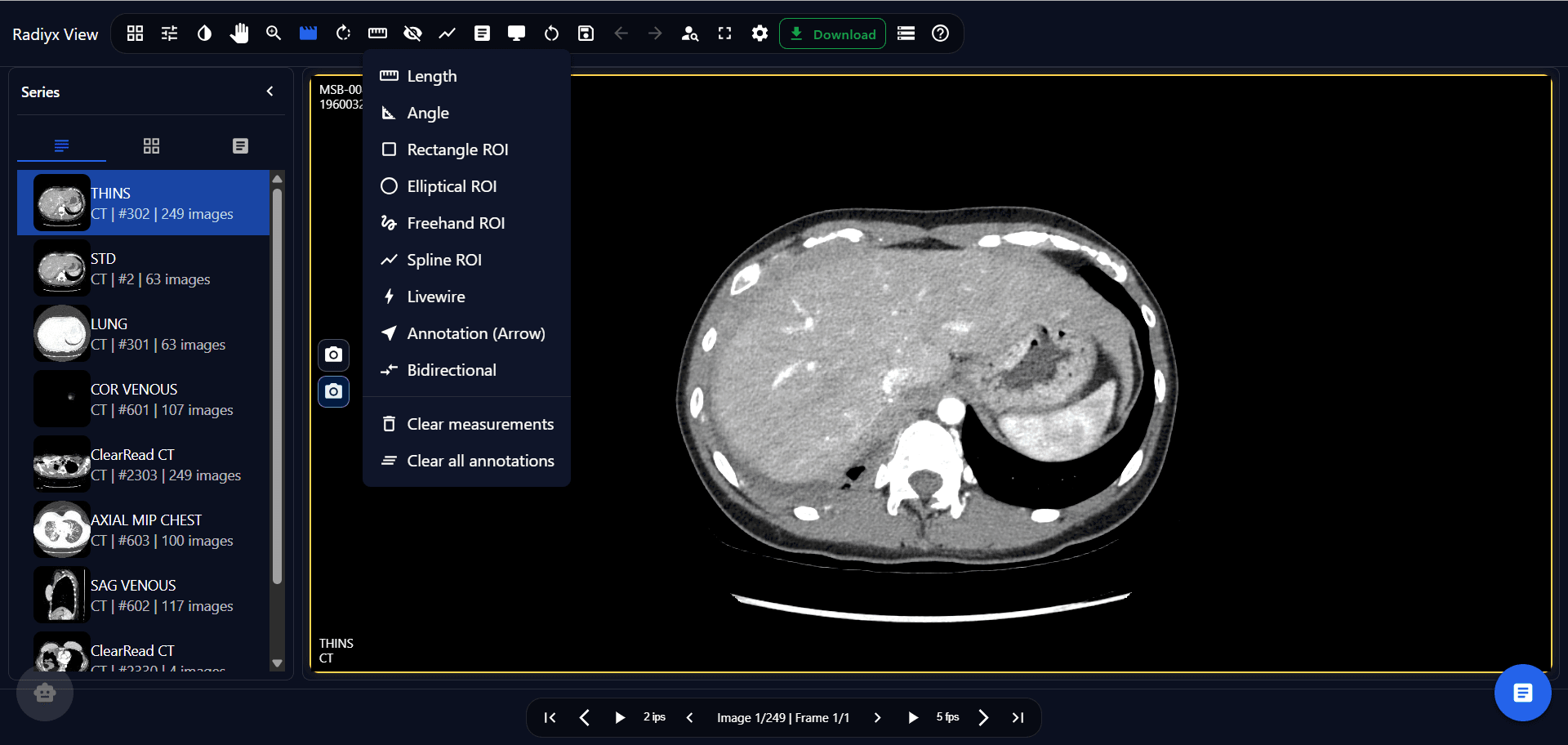
Real Radiyx View — browser imaging workspace
Browser-based
No desktop installation
Connected imaging
Patient and study context
Reporting
Inside the Radiyx workflow
PACS connected
Local + Cloud workflows
Vision continuity
Continue in the native workstation
Connected access
Radiyx View brings imaging into the same environment used for patient workflow and reporting, reducing the need to move between disconnected systems.
Open imaging directly from the Radiyx workflow.
Keep patient, examination, and workflow context connected.
Review images and work with the same reporting environment used across Radiyx.
Support connected imaging workflows across locations where the deployed infrastructure allows it.
Product experience
Review studies in the browser with the tools needed for everyday imaging—connected to Radiyx patient, study, and reporting context.
Study review in the browser
Series navigation, synchronized multi-planar review, window/level, zoom/pan, slab controls, MIP/MinIP, and measurement tools—inside the browser workspace.
Browser-based 3D volume rendering
Explore volumes with render presets, opacity, and camera controls when the study calls for 3D review—still in the browser, still connected to Radiyx.
Connected reporting
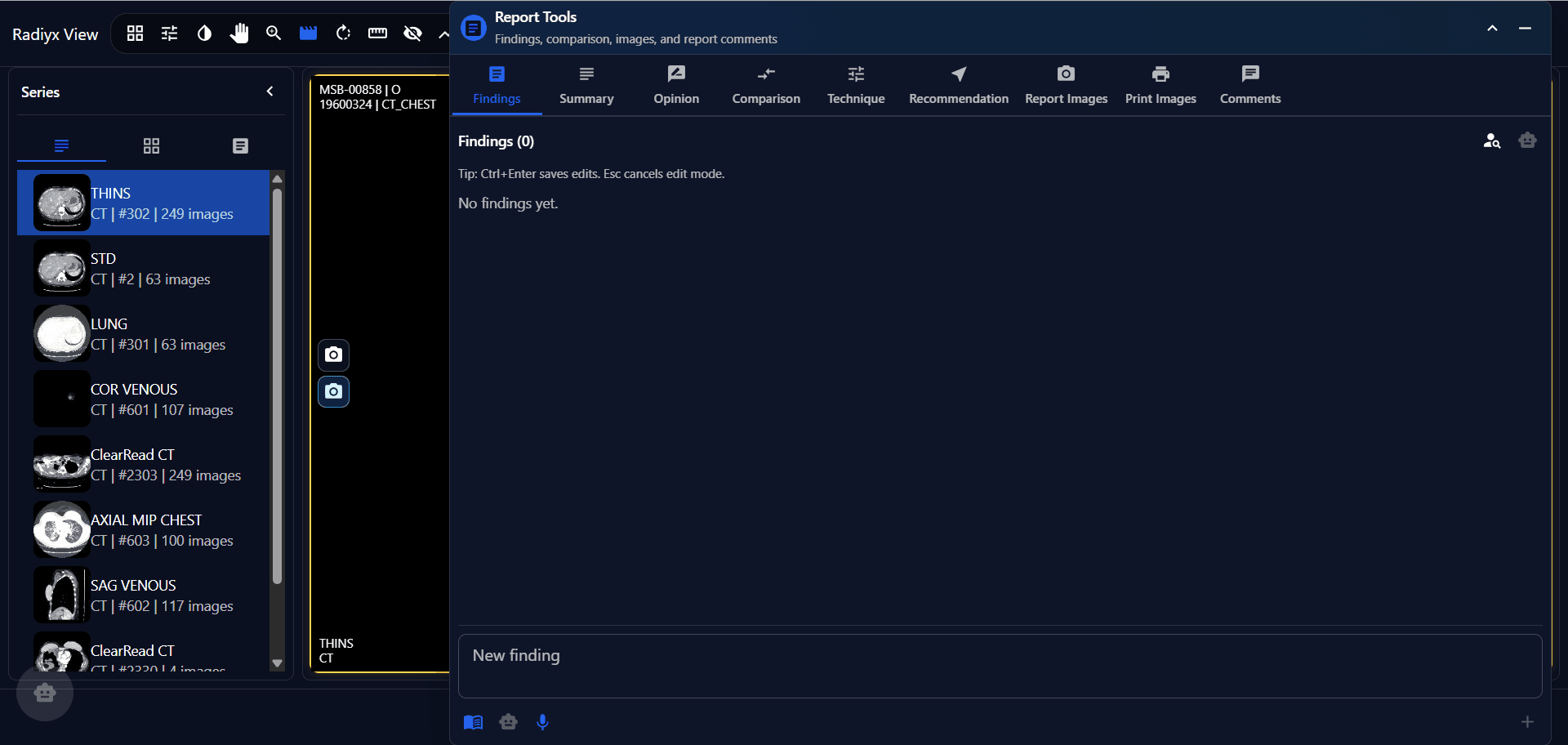
Radiyx View keeps imaging, report creation, templates, study context, and report history connected inside the Radiyx Platform.
Explore Radiyx Reporting →Connected imaging
Radiyx View operates as part of the Radiyx imaging workflow and works with the currently supported Local PACS and Cloud PACS architecture—so browser reading stays connected to the same infrastructure the organization already runs.
Explore Radiyx Platform →Two imaging experiences
Use View for connected browser imaging and reporting. Continue in Vision when the study calls for a native workstation and advanced imaging tools.
Browser-based
Windows · macOS · Linux
MPR · CPR · 3D · Segmentation · Measurements · PACS · Reporting
Continue the study in Radiyx Vision for advanced native workstation workflows while keeping the Radiyx reporting context connected.
Built for connected reading
Browser imaging integrated with daily operational workflows.
Connected study access and reporting across supported deployments.
Imaging and reporting connected across organizational locations.
Move between browser workflows and Vision when advanced workstation capabilities are needed.
See how Radiyx View connects browser-based imaging, reporting, and the wider Radiyx Platform.
Need the native workstation?
Radiyx Vision is free for Windows, macOS, and Linux.
Explore Radiyx Vision →